
Mary is a manager of a small design systems team in a large talent/tech company. She's been working with other teams to incorporate AI into the internal apps that employees use for various tasks, and they've also been developing a design system to support the apps. Her team consists of two design engineers and two interns, and she's also doing a large part of the work. The apps are growing and the team is finding it hard to keep pace with the users' needs, and she's on a deadline. She decides the team needs help.

Company: CAI (Computer Aid Inc.)
Project Summary
I and the team designed and documented a design system for CAI's internal AI apps that contained 76 style and component categories.
Responsibilities
- Design System Design
- Documentation
- Organization of Styles and Components
Timeline and Team
3 1/2 months working remotely with 1 UX manager/developer, 2 UI/UX designers, and 2 designer/developers
Results
100+ styles and components created, organized, and documented
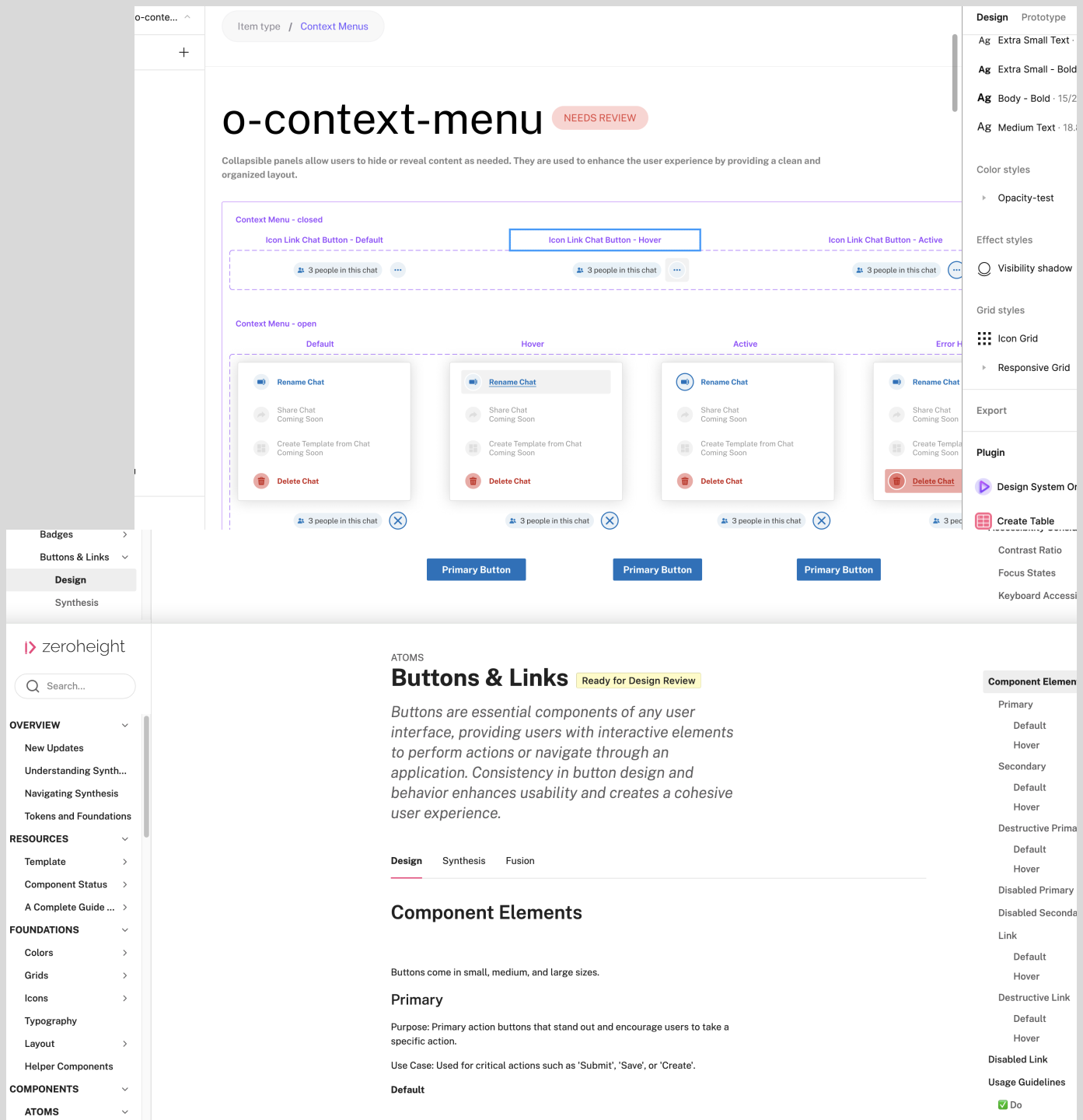
A sample of the design system in Figma and ZeroHeight
Elevating Efficiency and Cohesion with Tailored Design System
Revamping, Innovating, and Maintaining for Optimal Efficiency
This project showcases my skills with improving current design system files and documentation, creating new components, and updating current ones:
- Styles
- Components
- Variants
- Variables
- Atomic Design
- Documentation
- Specs
- Pattern Libraries
- Interaction Design
- Prototypes
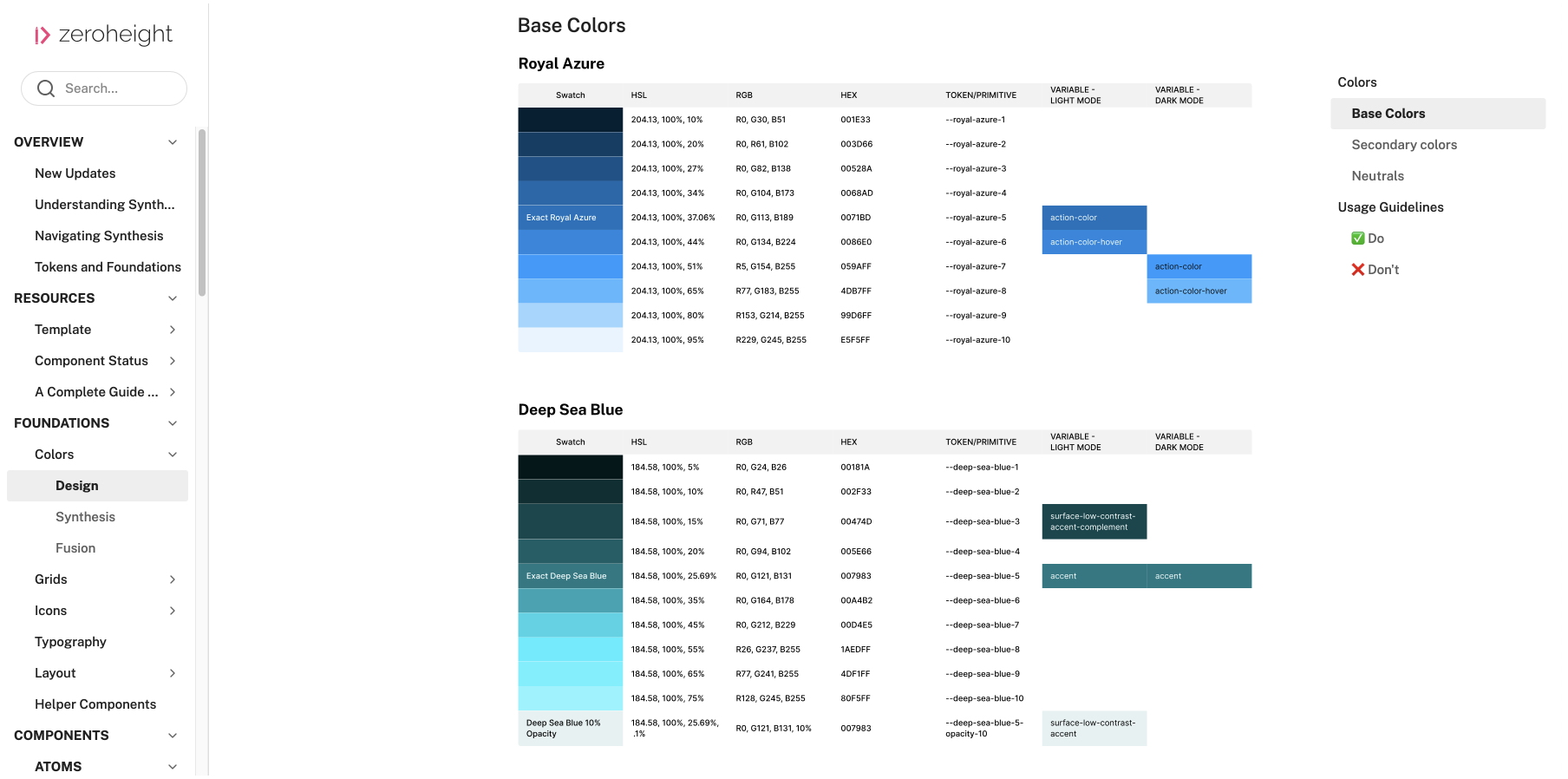
An example of the organized color tables I made
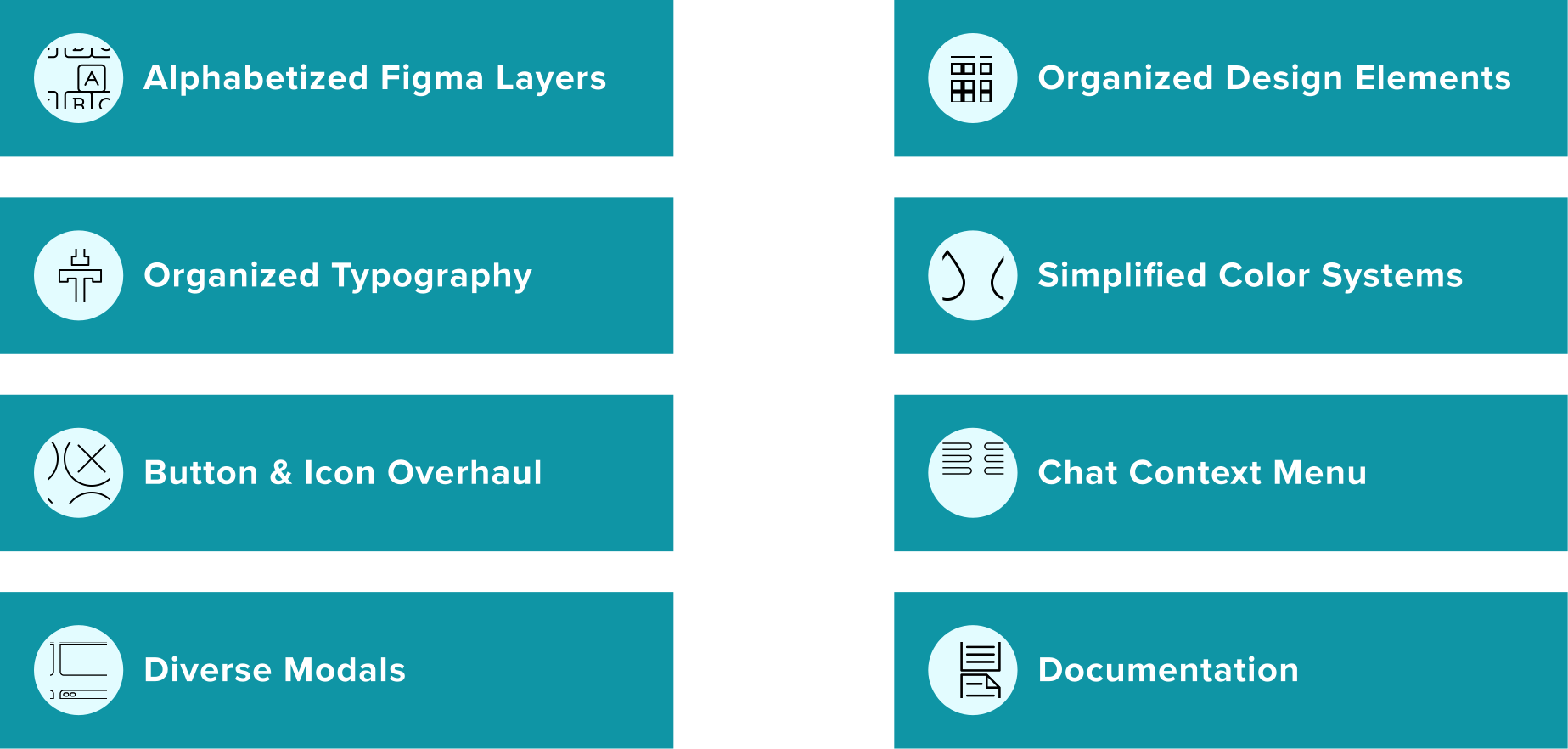
What Did I Do?
What I did
Alphabetized Figma Layers to Expedite Access and Comprehension
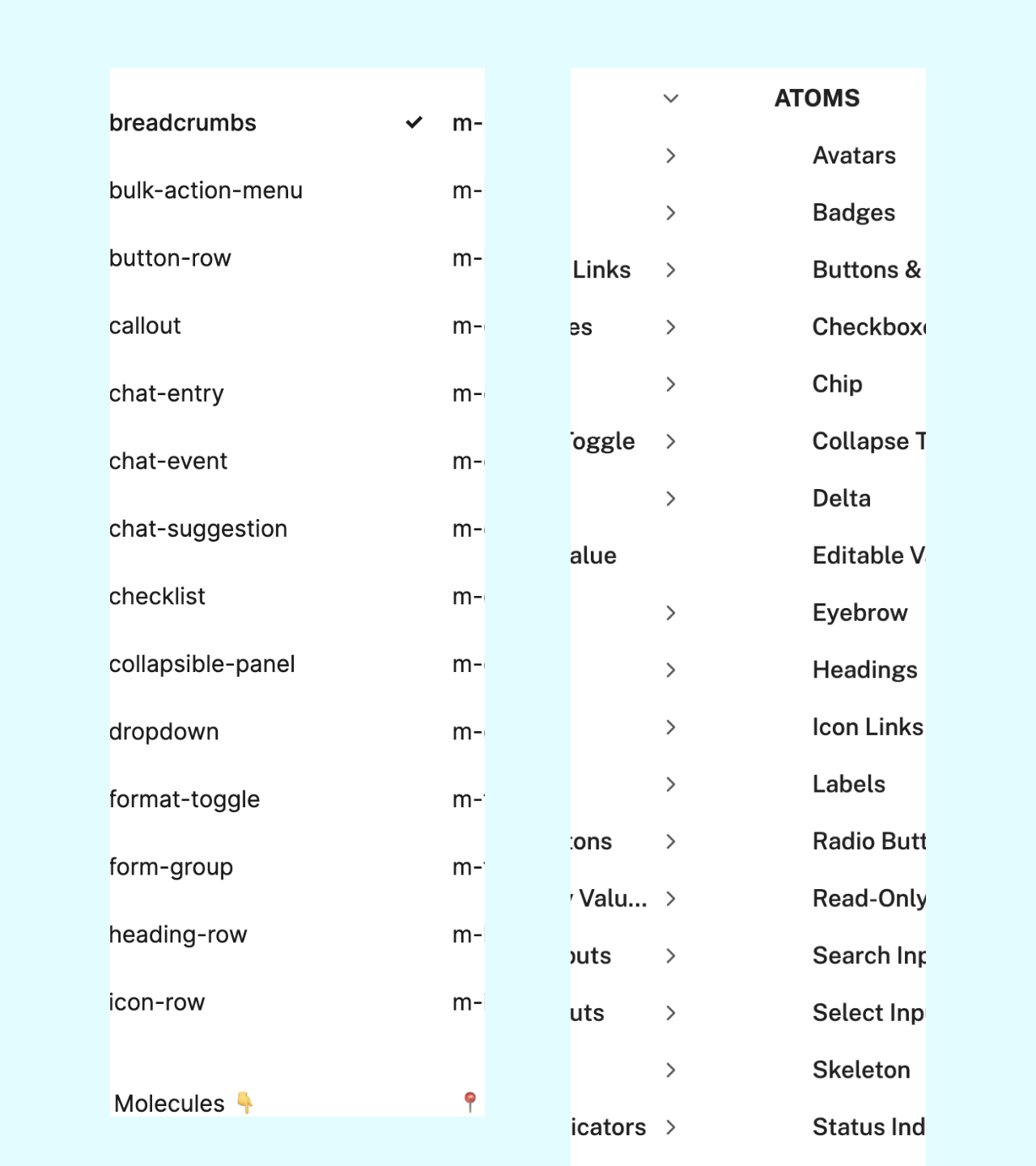
Organized Figma layers
Efficient Organization and Streamlined Design Elements with Figma and ZeroHeight
Once the designs were created, the code for them was added to Figma, and the components and styles were added to ZeroHeight.
A set of buttons for the AI app
Simplifying Color Systems Through Comprehensive Tables
11 color ramps each with 10 or more color variations plus:
- Swatches
- HSL
- RGB
- Hex
- Tokens / primitives
- Variables for light and dark modes
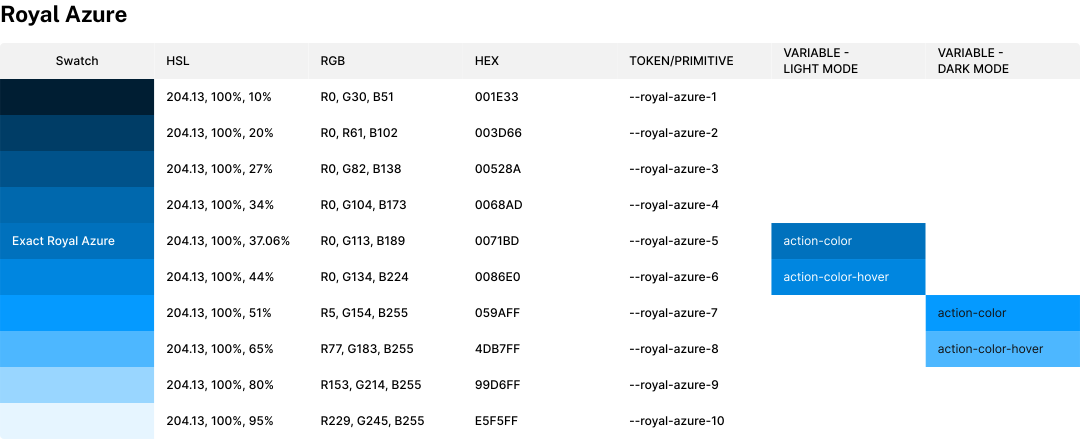
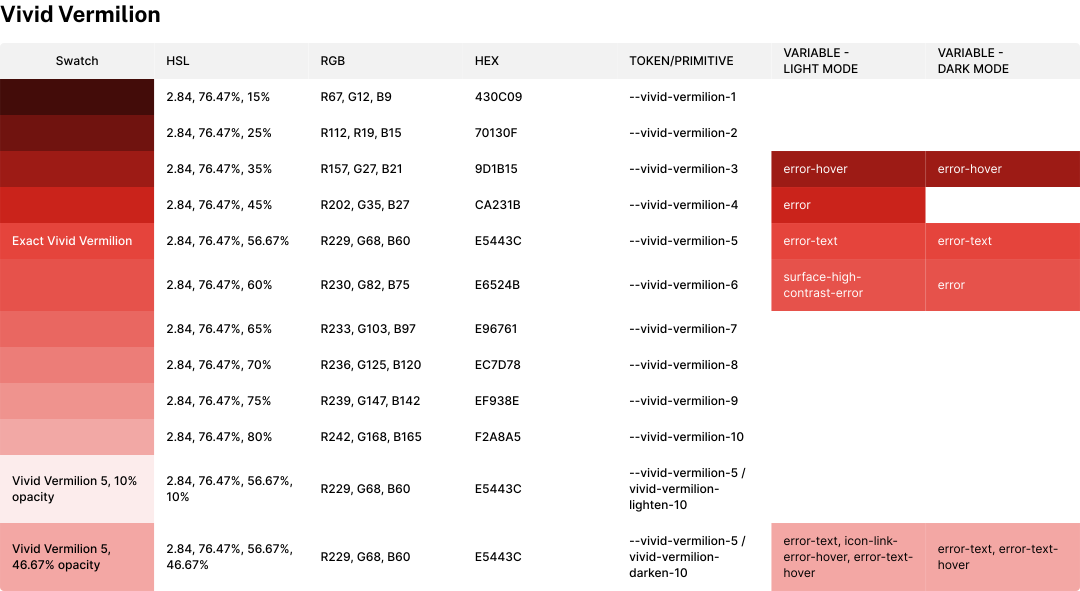
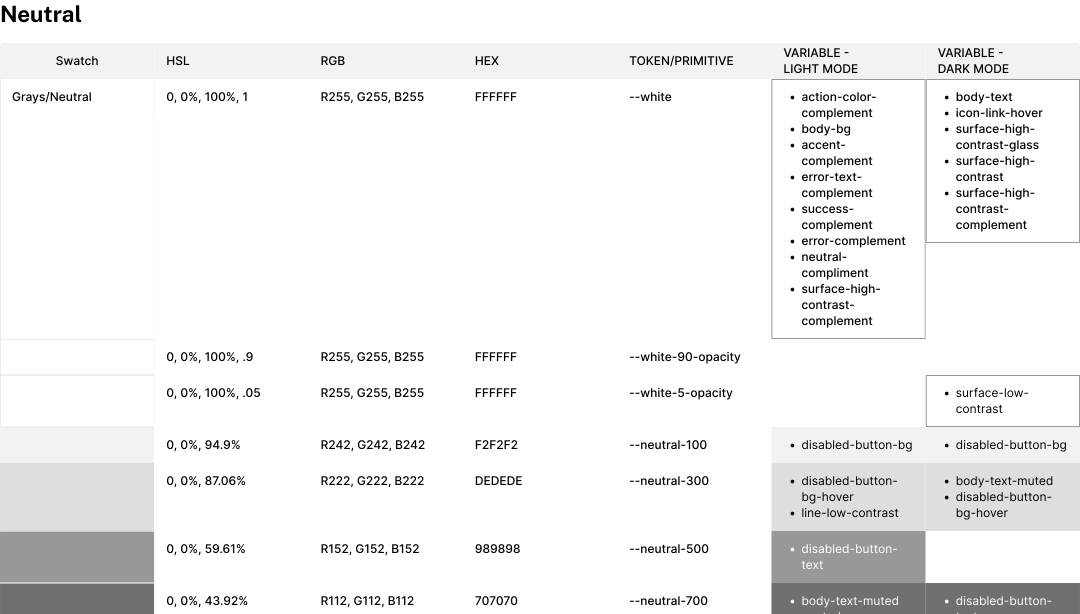
Color tables for easy reference
Organizing 16 Typography Styles for Clarity and Cohesion
Organized 16 typography styles that included their name, font family, font weight, font size, line-height, and letter spacing.
- Name
- Font family
- Font weight
- Font size
- Line-height
- Letter spacing
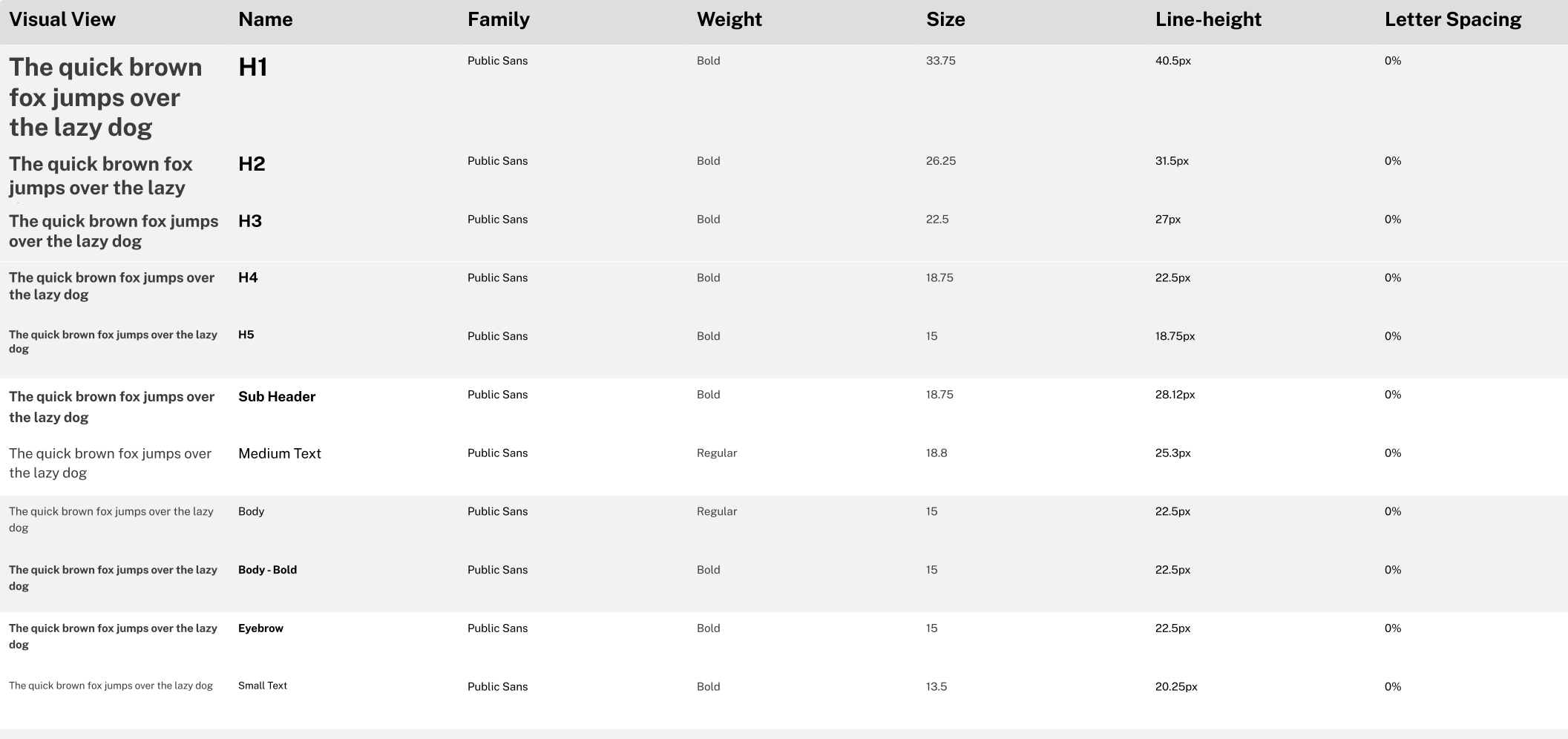
Typography reference grid
Button and Icon Overhaul
- Created 8 buttons and links
- Created 2 links with icons
- Created 1 icon row component to house rows of icon links
- Created a chat suggestion button
- Audited 87 action and informational icons and 6 illustration icons
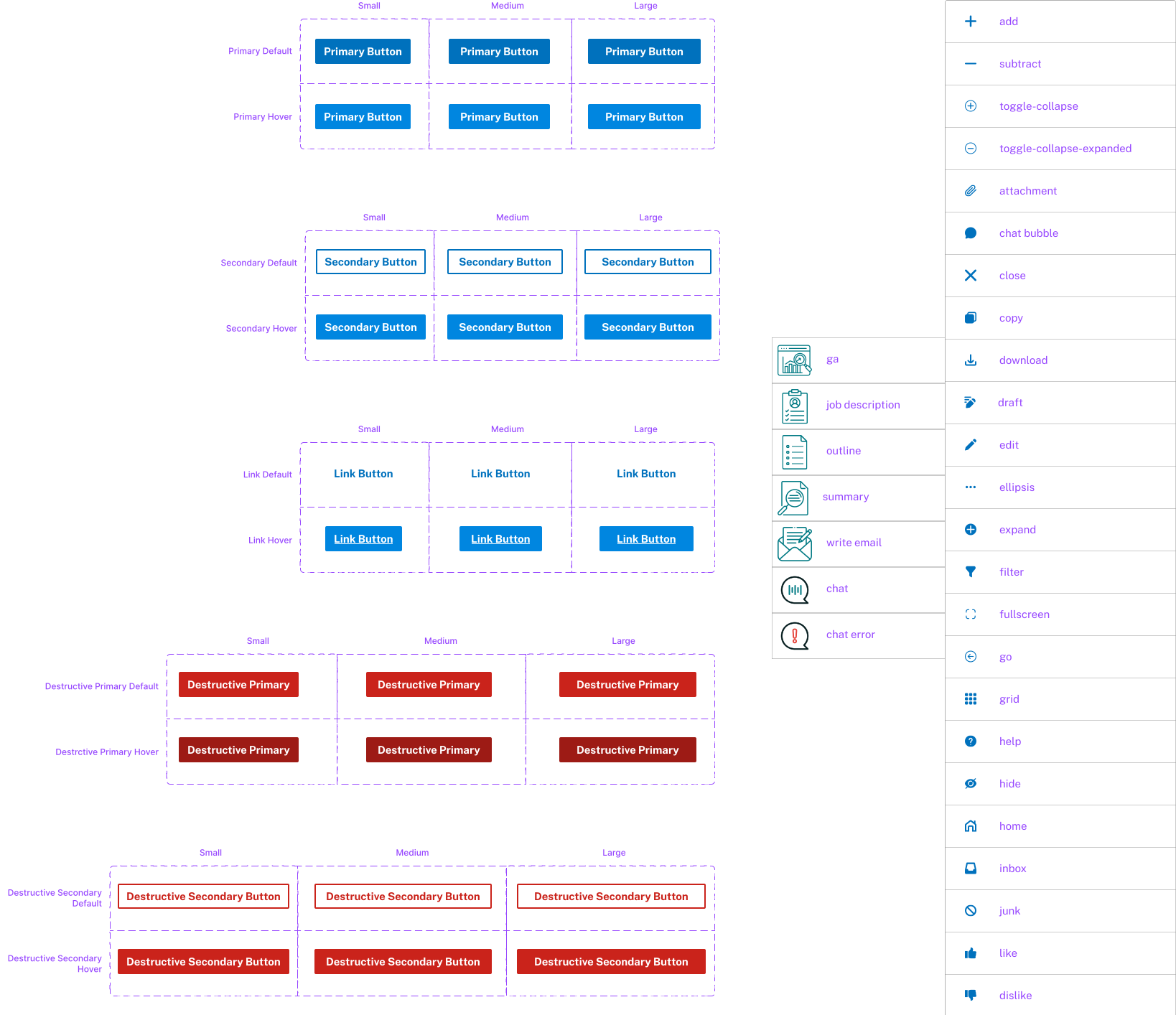
Buttons and icons
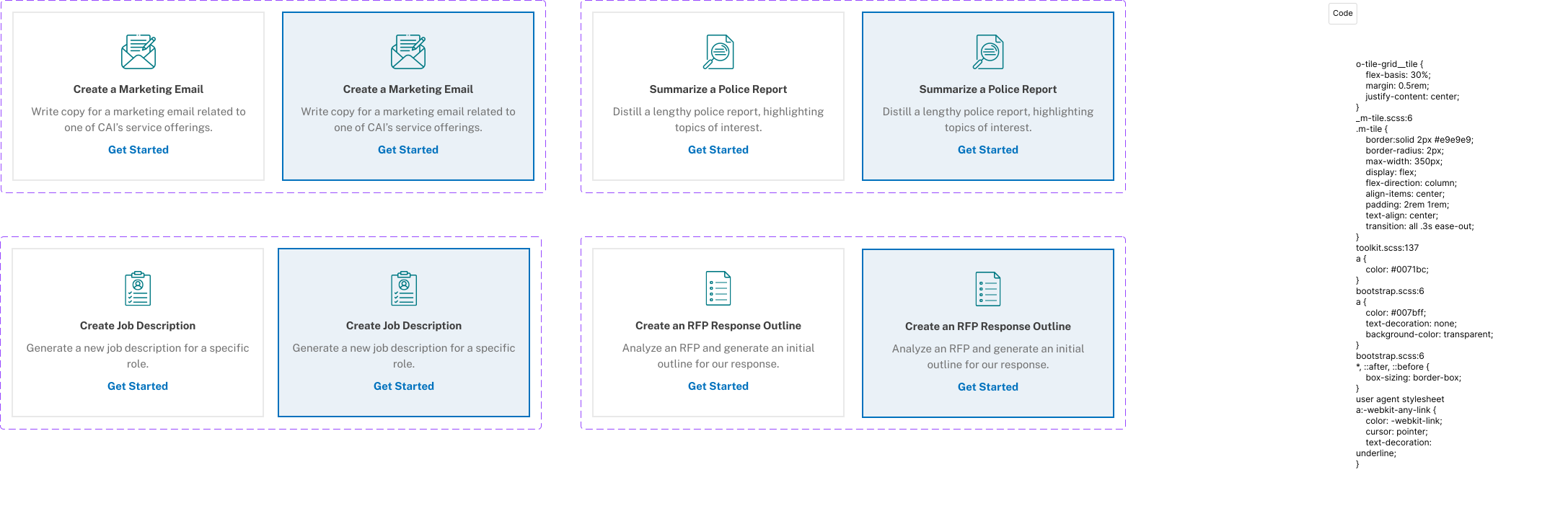
Card Tiles to Enhance Chat Experience
- Card tile with 4 variants and 2 states to help a user get started in the chat
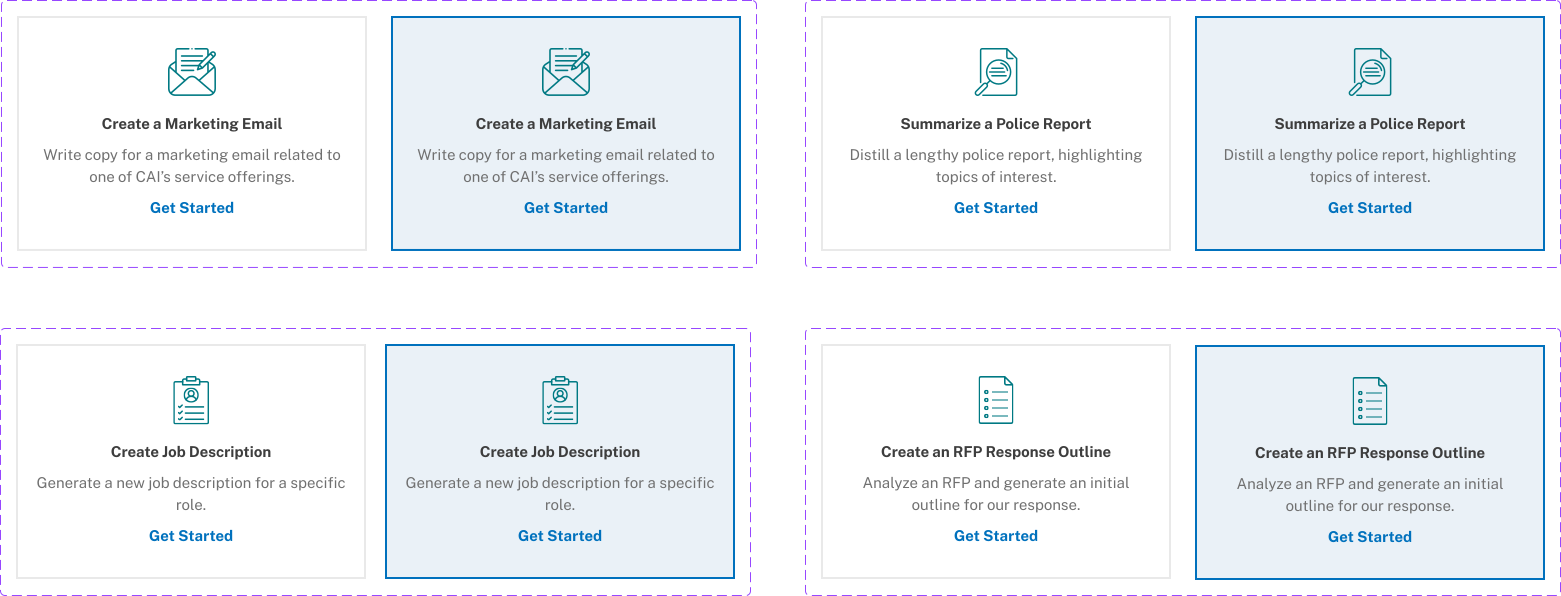
AI chat buttons
Dynamic Chat Context Menu
- Chat context menu with a chat button with default, hover, active, and selected states, and default, hover, and active states for the menu
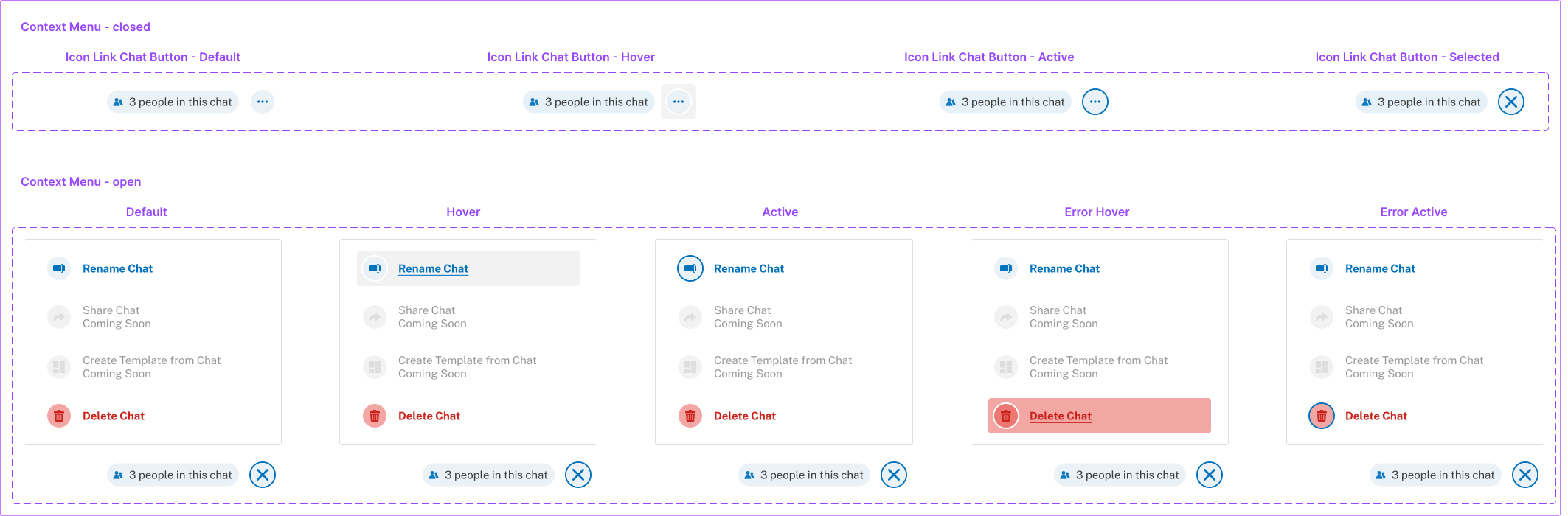
AI chat context menu
Crafting Modals for Diverse User Interactions
- Modal with a confirmation variant, a 2-column variant, one for choosing files to upload, and a long text modal with a scroll bar
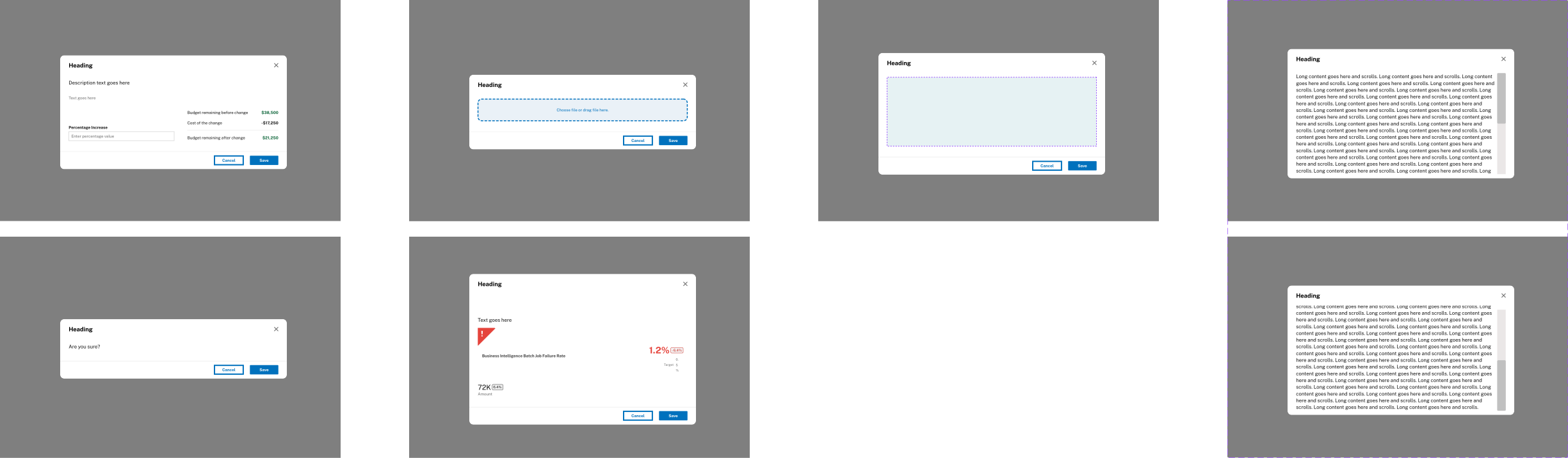
Modal with 4 variants
Accelerating Design and Development with Comprehensive Guidelines
For each style and component I worked on, I created documentation in ZeroHeight to go with it. This documentation included:
- Sizes, states, and types
- Usage guideline Dos and Don'ts
- Specs and anatomy (using the EightShapes plugin)
- A prototype if necessary
- The CSS code it used
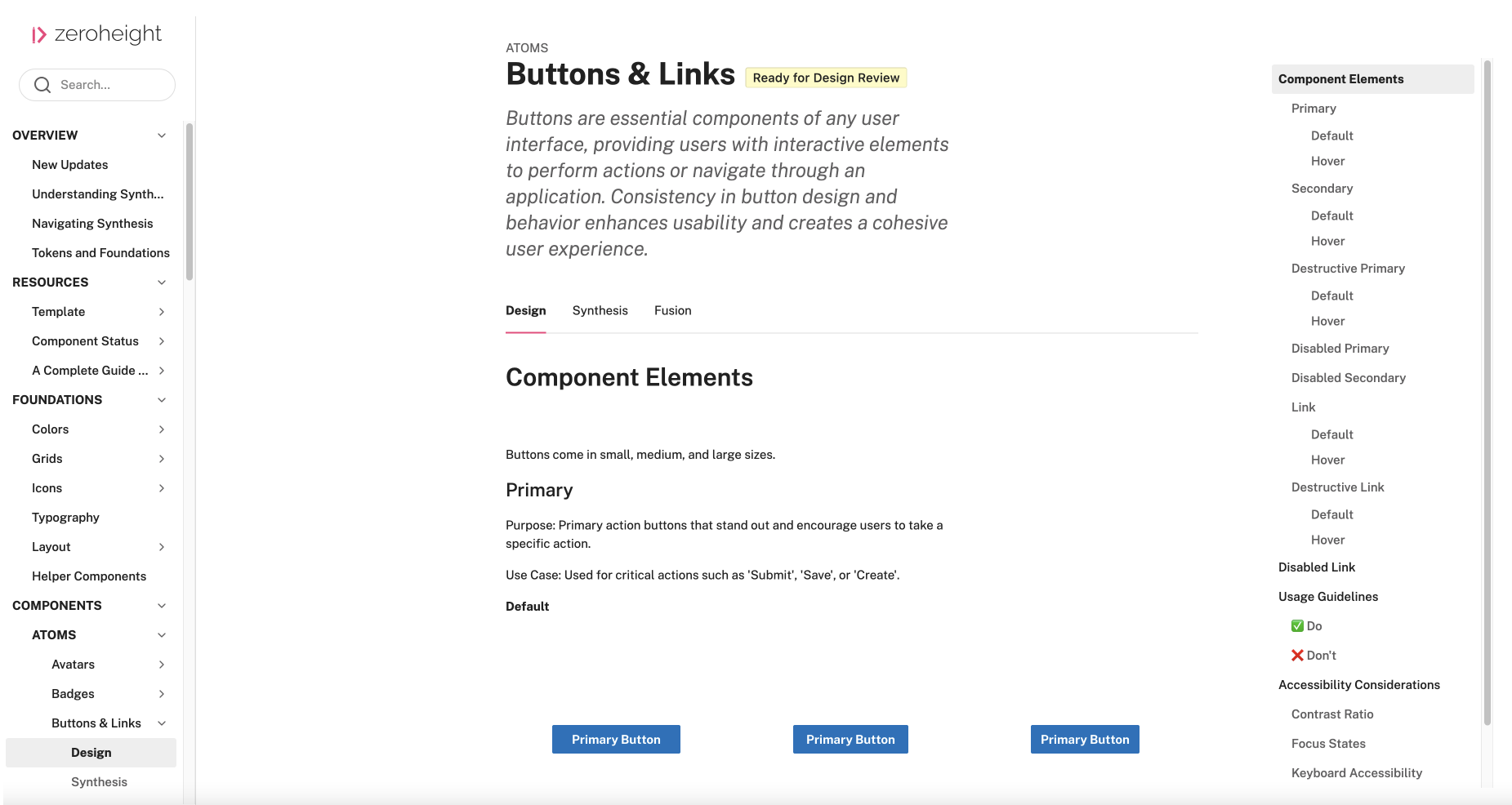
Design system documentation
Results and Lessons
Results
My contributions brought the rest of the team up to speed with component creation, plugins, and documentation, which helped everyone design faster. The creation and updating of 100+ styles and components led to consistent, scalable designs.
Lessons
You may only have a short time to get things done - prioritize your work.